
Artifact to Website

Upload a concert ticket, a menu or an old brochure. Get a responsive page whose design comes from it, with three annotations tracing the choices back.
/recon11-artifact-to-website <photo or scan>Good first calls
/recon11-artifact-to-website (attach a ticket photo) an event page for our reunion show, one job: sell tickets/recon11-artifact-to-website (attach a menu scan) a one-page site for the diner, one job: call to order/recon11-artifact-to-website
- What it does
- reads a physical artifact and builds a responsive page whose design comes from it.
- Best for
- a ticket, menu, brochure, label, poster or sign with a look worth keeping.
- You get
- 1 the read2 the page3 three annotations tracing choices back to the original
- Give it
- a clear photo or scan, the real facts for the new page, and the one action it should drive
- Tips
- flat, well-lit photos read best. Say which details matter to you.It borrows the look, never a logo.
The skill prints this card first on every call, then does the work. It is laid out here; in your agent it prints as plain text.
- Skill no.
- 07 of 11
- Class
- Recon11 original
- Package
- 3 files, 4 KB
- License
- Recon11 original
- Size
- one file
- Checked
- Nov 27, 2026
What it does
It reads the object, borrows its look, and shows its work.
The short version
- Reads the artifact: lettering, inks, card stock, structure, print marks and motifs.
- Keeps the look apart from the facts, and asks you for the new page's real details.
- Maps artifact details to page elements before it builds.
- Hands back the page with exactly three numbered annotations.
Go: Reach for it when
- A ticket, menu, brochure, label, poster or sign with a look worth keeping.
- An event, a restaurant or a small shop that wants a page with character.
- Showing a client where every design choice came from.
No-go: Use something else when
- Copying a brand. It borrows structure and color, never a logo or a mascot.
- Making something that passes as a real ticket, receipt or record.
- An artifact with no visual character to borrow.
How to call it
Type the command, then say what to work on. Copy any line and change the target. Slash commands. A slash command is the skill name with a / in front, typed as the first thing in a new message. Everything after it is plain English: what you want worked on. Copy puts the whole line on your clipboard, so you can paste it and swap in your own target.
/recon11-artifact-to-website (attach a ticket photo) an event page for our reunion show, one job: sell ticketsThe read, the mapping table, the page and three annotations./recon11-artifact-to-website (attach a menu scan) a one-page site for the diner, one job: call to orderBuilds from the menu's lettering, rules and colors./recon11-artifact-to-websitePrints the field card and asks for the image and what the page is for.
Tips
What gets the best result, and what this edition changed.
Field notes
- Shoot it flat and well lit. Glare and angles hide the details it reads.
- Say what matters. If you love the border or the stamp, name it.
- Bring the real facts. The words on the artifact describe the original, not your page.
- Expect a font match, not the font. It names the open typeface it chose.
- Ask for the toggle when you want the artifact and the page side by side for a client.
What it will not do
- Reproduce a logo, trademark, mascot, character or illustration from the artifact.
- Carry over a real person's name or photo without your say.
- Invent a date, price, address or claim to fill a gap.
- Keep an ink for small text when it fails contrast. It darkens it and tells you.
Launch demo: a 1994 concert ticket
Switch between the ticket and the event page built from it. Follow the three numbers.
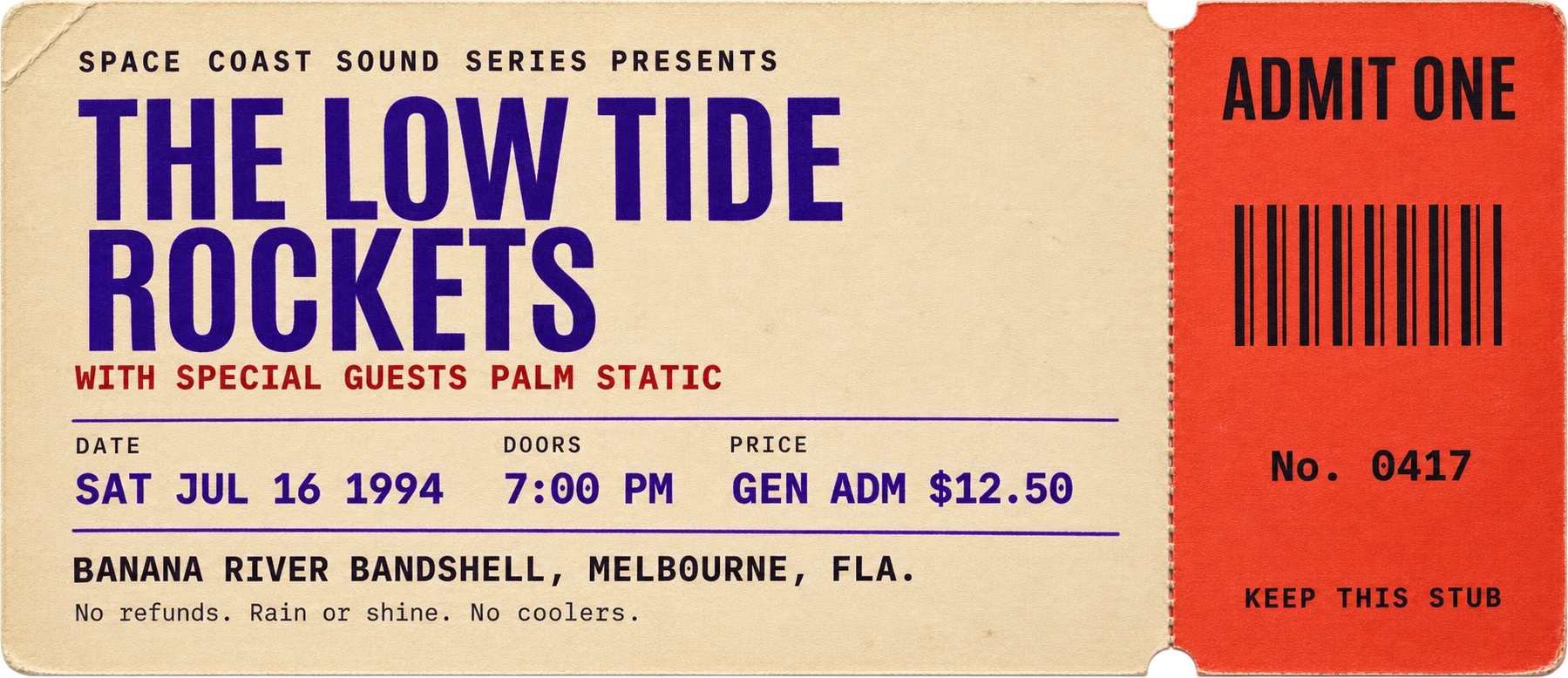
The letteringHeavy condensed capitals in violet ink, filling the width of the ticket.
The stubA red-orange tear-off past a perforated line: Admit One, a bar code, a number.
The inksViolet, red and black, printed on cream stock.
The Low Tide
Rockets
With special guests
Palm Static
One night on the Banana River.
Bring a blanket. Leave the cooler at home.
Hold your spot
General admission, $12.50
Ticket violet#260777 sampled from the lettering
Violet, darkened#211224 headline and booking band
Stub red-orange#ec3f28 sampled, for large shapes
Ticket stock, lightened#f5ede2 the page ground
- Lettering to headlineThe band name is printed in heavy condensed capitals, so the page headline is set the same way, as large as the column allows. The face is Anton, a match for the look, not the ticket's own type.
- Stub to bookingThe tear-off stub is where a ticket gets used, so the ticket itself sits in the booking band, and the stub's red-orange became the one button on the page.
- Ink to paletteThe violet ink, the red-orange stub and the cream stock were sampled from the ticket. The violet is darkened for the headline and the band, the stock is lightened for the ground, and the red-orange is kept for large shapes, with dark words on it.
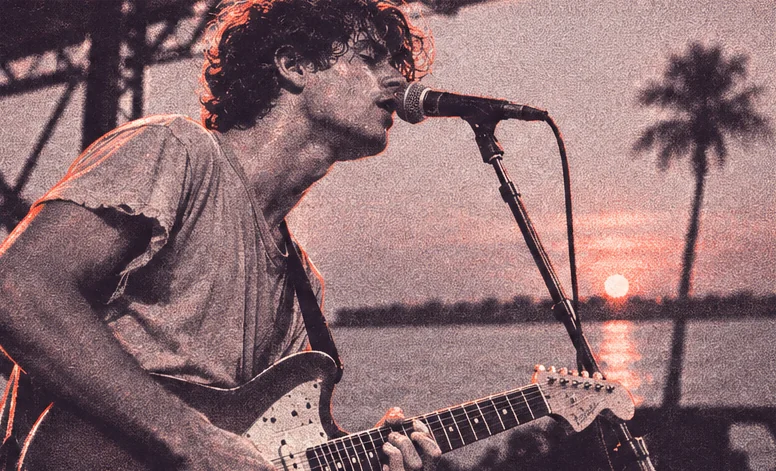
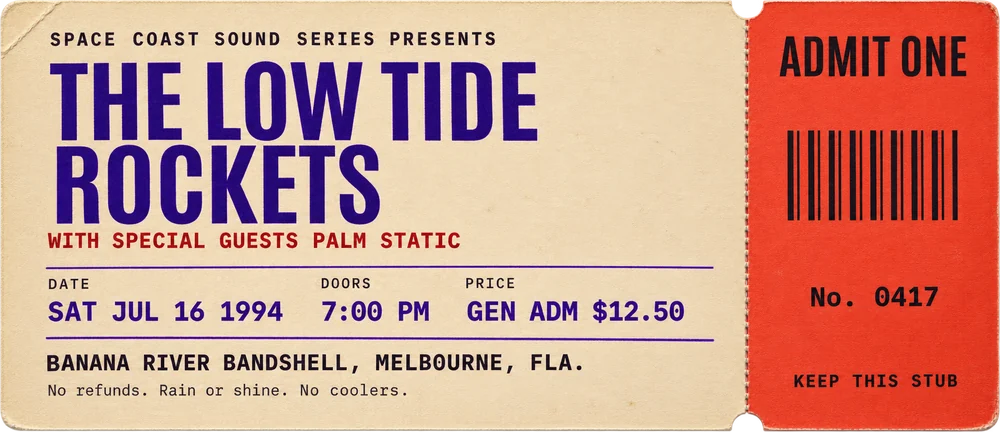
The ticket, the band, the guests, the series and the venue are invented for this demo. The ticket and the stage photo are generated pictures, and the person in the photo is not real. The booking form does nothing: it shows a message and stores nothing.
Install and run
Pick the route that matches where you work.
Claude Code
- Download recon11-artifact-to-website.zip and unzip it. You get one folder named
recon11-artifact-to-website. - Move that folder into
.claude/skills/inside a project, or into~/.claude/skills/to have it in every project. Hidden folders and the ~ sign. A folder whose name starts with a dot is hidden by default. On a Mac, press Command, Shift and period in Finder to show hidden folders. In Windows File Explorer, choose View, then Show, then Hidden items. The~stands for your home folder, such as/Users/yournameon a Mac orC:\Users\yournameon Windows. If theskillsfolder is not there yet, create it. - Start a new session and type
/recon11-artifact-to-website.
The Claude app
- Download the zip. Do not unzip it.
- In Claude, open Customize, then Skills.
- Press the plus button, choose Create skill, then Upload a skill, and pick the zip.
- Code execution has to be switched on for skills to run. Code execution. It is a setting inside the Claude app, and skills cannot run with it off. The Anthropic help article linked under these steps shows where to find it. On a work account, an admin may control the setting.
Steps from Anthropic's help article, Use skills in Claude.
What it needs
- An agent that can see images.
- Nothing else. It is one instruction file.
Other agents
Unzip and put the folder where your agent reads skills. These paths come from the skills CLI's own agent list. These paths. The skills CLI is the open-source skill installer from Vercel, vercel-labs/skills on GitHub. It keeps a list of where each agent looks for skills, in docs/agents.md, and this table was read from that list on Nov 27 2026. "In a project" is a folder inside the one project you are working in, so the skill loads only there. "For every project" is a folder in your home folder, written ~, so the skill loads everywhere. If your agent is not in the table, check that list before guessing a path.
| Agent | In a project | For every project |
|---|---|---|
| Cursor | .agents/skills/ | ~/.cursor/skills/ |
| GitHub Copilot | .agents/skills/ | ~/.copilot/skills/ |
| Gemini CLI | .agents/skills/ | ~/.gemini/skills/ |
| OpenCode | .agents/skills/ | ~/.config/opencode/skills/ |
| Windsurf | .windsurf/skills/ | ~/.codeium/windsurf/skills/ |
What is in the package
3 files, 4 KB zipped. Nothing is fetched at install time.
Packing list
recon11-artifact-to-website.zip, 3 files, 4 KB
- recon11-artifact-to-website/the folder
- NOTICE.md1 file
- SKILL.md1 file
- evals/1 file
SHA-256 of the zip, to confirm your copy is the one tested. The bars are drawn from its digits.
597f93007ea7f31dde6af1b3ab23c90c3d6b960f81848bed28402fb9dc8bd7db
How it was tested
- Unzipped into
.claude/skills/in an empty test project on Linux. - Frontmatter parses, and the name matches the folder.
- The launch demo on this page was built by hand to the skill's steps, from a fictional ticket.
- Not run here: the skill on a real uploaded photo.
- Three evaluation scenarios ship in
evals/evals.json, in the format from Anthropic's Skill authoring best practices. Not run yet.
The skill file
The instruction file, in full. Copy it, or scroll it here.
---
name: recon11-artifact-to-website
description: Turns a photo or scan of a physical artifact, such as a concert ticket, restaurant menu, brochure, label or poster, into a responsive web page whose design is drawn from it, with three annotations tracing choices back to the original. Use when the user shares a picture of a physical object and wants a web page that borrows its look. Invoke as /recon11-artifact-to-website with the image and what the page is for.
---

# Recon11 Artifact to Website

Original work by Recon11 Global Systems, LLC.

## 1. Field card (show it first, every time)

On every invocation, before any tool call, print this card exactly as written. Then carry on with the request. If there is no image, or no purpose for the page, stop after the card and ask for what is missing.

```text
RECON11 ARTIFACT TO WEBSITE    /recon11-artifact-to-website <photo or scan> + what the page is for
What it does : reads a physical artifact and builds a responsive page whose design comes from it.
Best for     : a ticket, menu, brochure, label, poster or sign with a look worth keeping.
You get      : 1 the read  2 the page  3 three annotations tracing choices back to the original
Give it      : a clear photo or scan, the real facts for the new page, and the one action it should drive
Tips         : flat, well-lit photos read best. Say which details matter to you.
               It borrows the look, never a logo.
```

Copy this checklist into your reply and tick it off:

```text
- [ ] Field card printed
- [ ] The artifact read (section 2)
- [ ] Look separated from facts, missing facts asked for (section 3)
- [ ] Mapping table shown (section 4)
- [ ] Page built (section 5)
- [ ] Three annotations placed (section 6)
- [ ] Checked before handing back
```

## 2. Read the artifact

Look at the image and write a short inventory. Say when something is a guess.

1. **Lettering.** The styles in use (condensed, slab, script, typewriter, hand lettering), their case, weight and spacing, and which one dominates.
2. **Ink and stock.** Three to six colors with estimated hex values, plus the color of the paper or card. Call them estimates, since a photo shifts color.
3. **Structure.** The zones, columns, rules, boxes, numbering, tear lines, perforations, folds and margins.
4. **Print marks.** Halftone dots, misregistration, stamps, punch holes, embossing, wear.
5. **Motifs.** Borders, ornaments, stars, stripes, simple shapes.
6. **Words.** What the artifact says, kept apart as facts about the original.

## 3. Separate the look from the facts

1. The words on the artifact describe the original event, place or product. They are not facts for the new page unless the user says so.
2. Ask for the new page's facts: names, dates, prices, the address, and the one action the page should drive.
3. Never fill a gap with an invented fact. List what is missing.

## 4. Map it

Before building, show a table: artifact detail on the left, page element on the right, one line of reasoning each. Three mappings are required and become the annotations:

1. **Lettering to headline.** The dominant lettering sets the headline style.
2. **Structure to action.** One structural feature, such as a stub, a tear line, a price box or a seat grid, becomes the section where the visitor acts.
3. **Ink to palette.** The inks and the stock become the color tokens, each with a job.

Add more mappings where the artifact offers them: rules become dividers, numbering becomes a real sequence, a stamp becomes a status mark.

## 5. Build the page

1. Pick the closest openly licensed typeface for each lettering style. Name it, and say it is a match, not the original face.
2. Declare the palette as named tokens. If an original ink fails contrast for text, keep it for large shapes and darken it for text, and say so.
3. Make it a modern page that works: the era is flavor, the usability is current. Real navigation, real buttons, readable body text.
4. Build it responsive at 1440, 1024, 768 and 390 wide. A horizontal artifact may need to turn vertical on a phone.
5. Keep print marks light. A hint of texture reads as character. A page that looks like a damaged scan reads as a gimmick.

## 6. Annotate

Deliver exactly three numbered annotations, one for each required mapping. Each says: the detail on the artifact, the choice on the page, and why. Place the same number on the artifact and on the page so a viewer can trace it. When the user wants a comparison view, add a toggle between the artifact and the page.

## 7. What it will not copy

1. Logos, trademarks, mascots, characters and illustrations on the artifact are not reproduced. Draw generic motifs only.
2. Photos and names of real people on the artifact are not carried over unless the user confirms they have the right to use them.
3. When the artifact is a branded commercial item, borrow its structure and palette, not its identity, and say that this is what was done.
4. Nothing is built to pass as the original business or to stand in for a real ticket, receipt or official record.

## 8. Hand back

1. The read, from section 2.
2. The mapping table.
3. The page.
4. The three annotations.
5. A list of anything the user still has to supply.

Then offer `/recon11-titanium recon` or `/recon11-overwatch audit` on the result.

## 9. Check before handing back

Go through every line. If one fails, fix it and go through the list again. Hand back only when every line passes.

- [ ] Exactly three numbered annotations, each with the same number on the artifact and on the page.
- [ ] No logo, trademark, mascot, character, illustration or real person from the artifact appears on the page.
- [ ] No date, price, address or claim was invented. Missing facts are listed.
- [ ] Every typeface is named as an open match, not the original face.
- [ ] Text meets AA contrast. Any ink darkened for text is said.
- [ ] The page works at 1440, 1024, 768 and 390 wide.

## 10. Output format

```markdown
## The read
Lettering: ... | Ink and stock (estimates): ... | Structure: ... | Print marks: ... | Motifs: ... | Words on the artifact: ...
## Mapping
| Artifact detail | Page element | Why |
|---|---|---|
## The page
<file>
## Annotations
1. Lettering to headline: <detail>, <choice>, <why>
2. Structure to action: ...
3. Ink to palette: ...
## Still needed from you
- ...
```

## 11. Worked example

Input:

```text
/recon11-artifact-to-website (photo of a 1994 concert ticket) an event page for a reunion show, one job: sell tickets
```

What the hand-back says, condensed:

```text
1 Lettering to headline: the band name is in heavy condensed capitals, so the headline is set in Anton, a match for the look, not the ticket's own face.
2 Stub to booking: the tear-off stub is where a ticket gets used, so the stub's shape becomes the booking band and its red-orange becomes the one button.
3 Ink to palette: violet, red-orange and cream were sampled from the ticket; the violet is darkened for text to pass contrast.
Still needed: the show date, venue, ticket price and ticket link.
```

The ticket, band and venue in this example are fictional, as on the skill's demo page.
Source and license
Where it came from, and the terms it is shared under.
| Item | Detail |
|---|---|
| Author | Recon11 Global Systems, LLC |
| Origin | The first of ten skill ideas on the Recon11 showcase |
| Demo content | The ticket, band, guests, series and venue are fictional and were made for this demo. |